Angular Signals: Reactive State Made Easy
Angular Signals make reactive state easier to reason about. A breakdown of writable, computed, linked, and effect-based primitives for precise dependency tracking.
Angular Signals: Reactive State Made Easy
Angular Signals make reactive state easier to reason about.
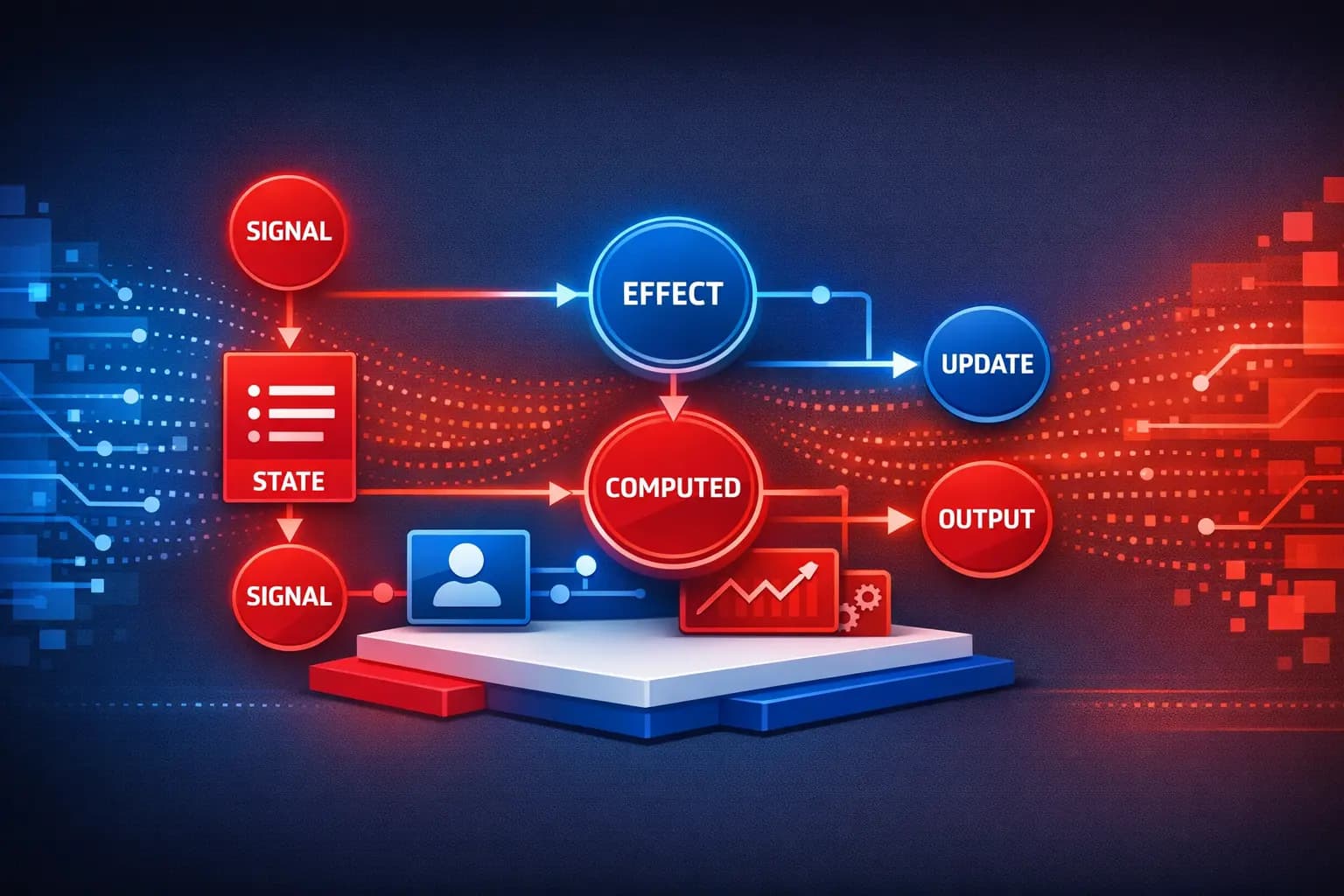
I created a slide deck, a visual diagram, and a Google Sheet while researching Angular Signals — Angular's reactive model built for precise dependency tracking and performant UI updates.
What Are Signals?
Signals are Angular's reactive primitive. They hold a value and automatically notify consumers when that value changes. Unlike observables, signals are synchronous and always have a current value.
Writable Signals
The most basic signal type. You create it with signal() and update it with set() or update():
import { Component, signal } from '@angular/core';

@Component({
  selector: 'app-counter',
  template: `
    <h2>Count: {{ count() }}</h2>
    <button (click)="increment()">+1</button>
    <button (click)="decrement()">-1</button>
    <button (click)="reset()">Reset</button>
  `,
  changeDetection: ChangeDetectionStrategy.OnPush,
})
export class CounterComponent {
  count = signal(0);

  increment() {
    this.count.update((value) => value + 1);
  }

  decrement() {
    this.count.update((value) => value - 1);
  }

  reset() {
    this.count.set(0);
  }
}
Important: Do NOT use
mutateon signals. Always useupdateorsetinstead to keep state transformations pure and predictable.
Computed Signals
Derived state that automatically updates when its dependencies change:
import { Component, signal, computed } from '@angular/core';

@Component({
  selector: 'app-shopping-cart',
  template: `
    <h2>Cart ({{ itemCount() }} items)</h2>
    <p>Subtotal: {{ subtotal() | currency }}</p>
    <p>Tax: {{ tax() | currency }}</p>
    <p><strong>Total: {{ total() | currency }}</strong></p>
  `,
  changeDetection: ChangeDetectionStrategy.OnPush,
})
export class ShoppingCartComponent {
  items = signal<CartItem[]>([
    { name: 'Widget', price: 25, quantity: 2 },
    { name: 'Gadget', price: 50, quantity: 1 },
  ]);

  itemCount = computed(() =>
    this.items().reduce((sum, item) => sum + item.quantity, 0)
  );

  subtotal = computed(() =>
    this.items().reduce((sum, item) => sum + item.price * item.quantity, 0)
  );

  tax = computed(() => this.subtotal() * 0.08);

  total = computed(() => this.subtotal() + this.tax());
}
Linked Signals
linkedSignal creates a writable signal that automatically resets when a source signal changes, but can also be manually overridden:
import { Component, signal, linkedSignal } from '@angular/core';

@Component({
  selector: 'app-notification-settings',
  template: `
    <h3>Theme: {{ selectedTheme() }}</h3>
    <select (change)="onThemeChange($event)">
      @for (theme of themes(); track theme) {
        <option [value]="theme">{{ theme }}</option>
      }
    </select>

    <label>
      <input
        type="checkbox"
        [checked]="notifications()"
        (change)="toggleNotifications()"
      />
      Enable notifications
    </label>
  `,
  changeDetection: ChangeDetectionStrategy.OnPush,
})
export class NotificationSettingsComponent {
  selectedTheme = signal('light');
  themes = signal(['light', 'dark', 'auto']);

  // Linked to selectedTheme — resets when theme changes,
  // but can be toggled manually
  notifications = linkedSignal(() => this.selectedTheme() === 'light');

  onThemeChange(event: Event) {
    const target = event.target as HTMLSelectElement;
    this.selectedTheme.set(target.value);
  }

  toggleNotifications() {
    this.notifications.update((v) => !v);
  }
}
Effects
Effects run side effects whenever their signal dependencies change. Use them sparingly — for logging, persistence, or syncing with external systems:
import { Component, signal, effect } from '@angular/core';

@Component({
  selector: 'app-search',
  template: `
    <input
      type="text"
      [value]="query()"
      (input)="onInput($event)"
      placeholder="Search..."
    />
  `,
  changeDetection: ChangeDetectionStrategy.OnPush,
})
export class SearchComponent {
  query = signal('');

  constructor() {
    // Effect automatically tracks `query` signal
    effect(() => {
      const currentQuery = this.query();
      if (currentQuery.length > 2) {
        console.log('Searching for:', currentQuery);
        // Trigger API call or debounced search
      }
    });
  }

  onInput(event: Event) {
    const target = event.target as HTMLInputElement;
    this.query.set(target.value);
  }
}
Signal-Based Inputs and Outputs
The modern Angular API uses signals for component communication:
import { Component, input, output, computed } from '@angular/core';

@Component({
  selector: 'app-user-card',
  template: `
    <div class="card" (click)="cardClicked.emit(user())">
      <h3>{{ fullName() }}</h3>
      <p>{{ user().email }}</p>
    </div>
  `,
  changeDetection: ChangeDetectionStrategy.OnPush,
})
export class UserCardComponent {
  user = input.required<User>();
  cardClicked = output<User>();

  fullName = computed(
    () => `${this.user().firstName} ${this.user().lastName}`
  );
}
Resource API for Async Data
The resource() API bridges signals with async data fetching:
import { Component, signal, resource } from '@angular/core';

@Component({
  selector: 'app-user-detail',
  template: `
    @if (userResource.isLoading()) {
      <p>Loading...</p>
    } @else if (userResource.error()) {
      <p>Error loading user</p>
    } @else {
      <h2>{{ userResource.value()?.name }}</h2>
      <p>{{ userResource.value()?.email }}</p>
    }

    <button (click)="nextUser()">Next User</button>
  `,
  changeDetection: ChangeDetectionStrategy.OnPush,
})
export class UserDetailComponent {
  userId = signal(1);

  userResource = resource({
    request: () => ({ id: this.userId() }),
    loader: async ({ request }) => {
      const res = await fetch(`https://api.example.com/users/${request.id}`);
      return res.json();
    },
  });

  nextUser() {
    this.userId.update((id) => id + 1);
  }
}
Signals introduce writable, computed, linked, and effect-based primitives that work together to create predictable, scalable state flows — even when async data is involved.
Resources are attached to the original LinkedIn post 👇 Curious how others are using signals in production Angular apps.